
Reminder for new tax season. Identity Protection PINs (IP PIN) have been updated for 2026 (they are updated every January).
An important “hardening” tactic against identity theft is to obtain an Identity Protection PIN (IP PIN) from the IRS. The common scam here is that someone with your name, address, and Social Security Number will file a tax return before you do, and then steal the resulting tax refund for themselves. In 2022, over 228,000 taxpayers filed IRS Form 14039, Identity Theft Affidavit, which asserts “I know or suspect that someone used my information to fraudulently file a federal tax return”.
Once you opt-in to the IP PIN program, the IRS will not accept any tax return filed during the current calendar year (even for prior years) without this unique six-digit number. Every calendar year in January, you’ll get assigned a new IP PIN. Getting one at any time will still prevent anyone from filing a fraudulent return during the rest of that calendar year.
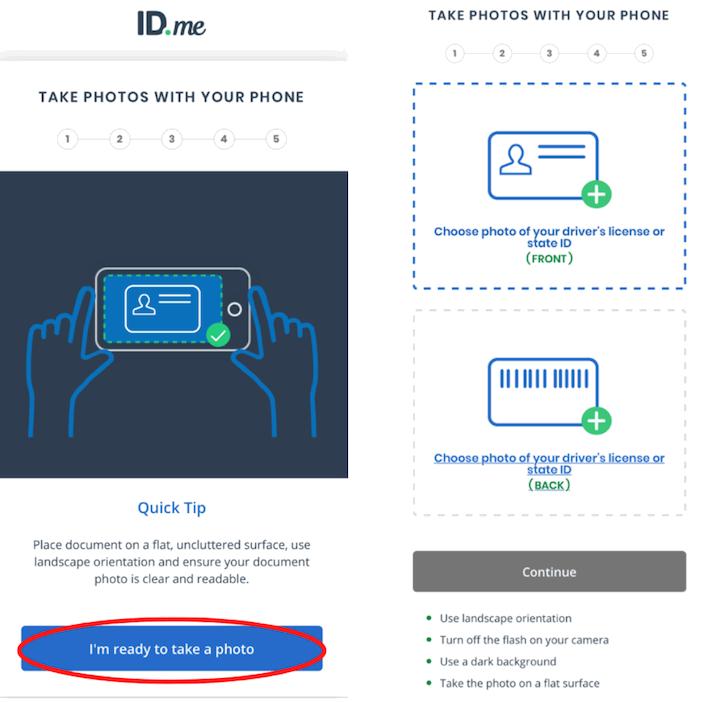
To do it completely online, you’ll need an ID.me account, which is a third-party provider that the IRS trusts to verify your identity. From their page:
You can use either a self-service process that requires a photo of a government ID and selfie, or a live call with an ID.me video chat agent that doesn’t require biometric data.
I had already set up an ID.me account for another purpose years ago, but I do remember that the selfie method worked eventually for me but my wife had to go for the live video chat method. I’ve also had to deal with problems with rejected ID photos, too much glare, software crashes, etc.
If you forget your PIN, you can always sign back into your IRS.gov account and view it again under your Profile. This is another reason to take extra care with your ID.me/IRS.gov passwords and MFA methods. ID.me lets you set up a TOTP Authenticator app for MFA. Also set a reminder to use it when you eventually file taxes, so your return doesn’t get rejected.
More information at the IRS IP PIN FAQ page (that’s a lot of acronyms!).
 The Best Credit Card Bonus Offers – 2026
 Big List of Free Stocks from Brokerage Apps
 Best Interest Rates on Cash - 2026
 Free Credit Scores x 3 + Free Credit Monitoring
 Best No Fee 0% APR Balance Transfer Offers
 Little-Known Cellular Data Plans That Can Save Big Money
 How To Haggle Your Cable or Direct TV Bill
 Big List of Free Consumer Data Reports (Credit, Rent, Work)
Just signed up for the PIN. Wasn’t too difficult. The ID.me process took about 15 minutes and requires a photo ID and cell phone. Thanks for the kick in the butt to get this done!
👍
Thanks Jonathan. I’m a TurboTax filer. How will signing up for a pin affect things with filing via TT?
You would just provide the 6-digit number when you e-File. TurboTax should ask if you have an IP PIN beforehand.
I was told you can only get that special pin if your identity was in fact stolen and that you have proof of it, not just as a protection against it. Has this changed? I would like to get the pin, but my identity has not been stolen, to my knowledge.
This might have been the case originally, but you don’t need that anymore.
Wish they adopted Yubikey or a similar offline token because people know they forget and will not sign up, especially the elderly or minorities
Thanks just did this too!
Decided to opt in for the new year, thanks
Signed up for the PIN last year and immediately saved the PIN on my computer so there is no chance of me forgetting it. Then when I filed with TurboTax, it said the PIN was incorrect. I was 100% sure that this was the correct PIN, so I’m scared to do it again. This should not happen.
I believe you are assigned a new PIN every year unless you specifically opt-out. So you’ll need to retrieve your new IP PIN for 2026 to file this year, otherwise your return will be rejected again.
NO THANKS!!!
Yet another way the government has more control of your biometrics that you VOLUNTARILY gave them.
This is insane.
If you are expecting a refund form the IRS then you are doing it all wrong.
how can i invest in id.me company. seems like monopoly/duopoly.